Design for a Cause

By Adam on August 7th, 2008


Graphic designers design for many reasons. Because it’s a job for a lot of us, we design for the client and their customers, and their respective needs. Some of us design for personal reasons — flyers for a friend’s band or cookbooks for your wife’s grandma.

Many choose to lend their design skills to a greater and larger purpose which, when properly executed, can rally support for a cause and make a change for the better. One courageous cause benefiting from smart design is Buyameter. Buyameter, which allows users to help donate to bring water into the homes and community of Hale County, Alabama, is a great example of what design brings to the communication of a message. Good Magazine describes the story behind buyameter.

The topic of climate change and sustainability are finding designers increasingly lending their support, ideas, and skills — addressing these issues with the hope of accomplishing something good. There is, of course, the national and global rally for change: to change our ideas, habits, thinking and even lifestyles. Design Can Change is “an initiative aimed at uniting the world’s graphic designers to use their influence and purchasing power to combat climate change.” Their website is smart, slick, compelling and offers facts and solutions to how graphic designers can “raise awareness of the importance of sustainable-thinking.” Graphic designers are often the link between the idea and the public. With their skills, designers play a crucial role in how this idea is presented. It is up to the designer to offer the best possible solution no matter how large the cause may be.

Not a designer, but believe that great design can bring power to these messages? Designers who want to do this work may be looking for your support… Check out these communities.


Talkin’ bits with Mark Hurst

By Curt on August 4th, 2008


Inspired by Mark Hurst’s book, Bit Literacy, I tracked down the author and engaged him the way he suggests we all engage the various bit streams that inundate us with information every day: head-on and purposefully.

Here’s how it went down…

Curt: Where did the idea for the book come from?
Mark: Everyone’s going to end up with a lot of information in the workplace today. How are they going to react to that? What skills are they going to bring to bear to manage that information? I wrote the book to help people to do just that.

One of the biggest challenges that comes with all this information is that people are working less productively, and they’re under more stress because of it. But a couple minutes a day of practicing a very small discipline can go a long way toward alleviating that stress and increasing productivity. People have to learn to let the bits go.

Curt: After practicing bit literacy for a couple of weeks, my newfound ability to let the bits go really is liberating. Is this method something you’ve always practiced?

Mark: Yeah. I developed the method over about 10 years. I mean, I started my career on the Internet, and at first, I wasn’t getting very many emails a day because, well, there weren’t very many emails being sent. I sent and received my first email 19 years ago, back in 1989. So I’ve seen this medium grow up - the emails and other bit streams - and I had to figure out a way to manage them. For years, my coworkers and friends encouraged me to write it, and finally last year, I banged it out.

Curt: You’re 35. Do you think bit literacy - or the way people in general deal with technology — is a generational thing?

Mark: That’s the common perception. In the media today, you’ll see a lot of reports of how the Gen-Yers and the tweens like to multi-task. They like being on MySpace and Facebook and Twitter simultaneously, listening to music, and watching TV while they do their homework. The myth is that this younger generation has the special skill of being able to do 19 things at once, that they’re being more productive.
They’re actually being less productive. When you’re multi-tasking, your brain has to do a good deal of overhead just working out the switching.

There is a generational gap with the comfort level some people have with the interface… but I’m more interested in giving people the philosophy and the specific skills they need to really work productively in the face of all this information.

If anything, the younger generation is more at risk than we are. By the time they get to our stage of the career arc, the overload is going to be much, much worse. Imagine if our contemporaries had to deal with a 10-fold increase in information: That’s what coming.

Curt: And this basic philosophy in the book - how will it be able to handle the increase in information that’s coming?

Mark: The book is a combination of theory and practice, of abstract and specific. At any given point, I might get specific and say, “Here’s what you use with the current version of OS X,” and while that operating system might become obsolete, that really doesn’t impact the theory. The mantra is the same: Let the bits go.

I don’t know of any other solution, and I’ve thought about this for many years. Bits are infinite now, and in a few years, they will be infinite times 10.

Curt: You used the word mantra, and I have to say, that phrase really felt like a meditation. Was that technique particularly suited to the book’s target audience - those poor souls who are drowning in bits?

Mark: I hope so. I certainly tried to hammer the point home throughout the book. The entire book comes down to one simple solution, so if people can internalize that, no matter what, they can be ready for what’s ahead.

We’re at the beginning stages of our overload. There’s going to be much more coming at us. I promise this basic skill or philosophy of letting the bits go will be sufficient for people, but they’re going to have to learn how to apply it.

Curt: How do you respond to critics who say that your approach is too rigid?

Mark: I respect their opinion. I happen to see the opposite. All I’m saying is, here’s a very general philosophy that you’ll be able to apply, and here are some examples of how to apply that philosophy, bit stream by bit stream.


Bye-bye, bits

By Curt on July 31st, 2008


I once worked for a company that installed a new email server every time the volume of messages in the system got too high for the old server to handle. For a small company doing business in the Information Age this way, such an upgrade can become an annual event.

At the time, it was encouraging to know that somebody had my back, that my “system” — in which my inbox doubled as a contacts list, tripled as a photo file, and did quadruple duty as a to-do list — would not be allowed to crash, no matter how big or unwieldy I allowed it to become.

What I did not realize at the time was that by this benevolent act of IT management, my former employer was enabling a bunch of addicts.

Our fix of choice: Bits.

When I left that position, I purged thousands of email messages, freeing millions of bits. A few weeks prior, I would have thought that life, as I knew it, would collapse around me if those messages were lost. My former colleagues expressed similar trepidation whenever a new server was brought online: “Okay, but I can’t afford to lose any messages.” When forced to come to terms with all those messages, to finally engage all those bits, a hard truth became clear: As a bit addict, I had hit rock bottom.

To set her up for success in her new job, I realized that my successor only needed to hang onto a few dozen of my old contacts and some project tracking records. Thousands of emails = a few dozen contacts and some project tracking records. That doesn’t add up.

A few weeks after I realized the staggering inefficiencies of my “system” for managing (mismanaging?) email at my old job, a colleague here handed me a copy of Bit Literacy, a book by Mark Hurst.

In the book, the author outlines a system he developed over the past decade for managing the various bit streams that today’s office workers need to engage.

Mark sums up his approach to dealing with this potential information overload in one simple mantra: Let the bits go. Beginning with email and touching on other bit streams (files, photos, to-dos, digital media), Mark advocates facing this flood head on, and outlines some steps for doing so bit stream by bit stream.

In the case of email, this involves a combination of quickly gleaning and extracting the pertinent information contained in any message, sorting it into its proper place (contacts into a contacts folder, important dates into a calendar, websites into a bookmarks folder, and to-dos in a to-do management system like gootodo.com, which Mark’s company also developed), plus liberal use of the delete button. Mark eats his own cooking, too. He claims to end every day with 0 messages in his inbox. This, he writes, makes him more productive and less stressed.

More productive and less stressed: Two important traits to cultivate, on a new job or at a job you’ve had for years. Of course, a new job has the advantage of coming with a new inbox, with a message count already at 0, or close to it.

Mark concedes that there is a sort of satisfaction that comes from a loaded inbox. People who get a lot of email are important. And important people can’t possibly have a message count of 0.

But satisfaction can come from other places - places that don’t necessitate new email servers being installed at regular intervals. Projects carry over. There is always more work. But for me, at least for now, I’m done for the day when I have no more to-dos on today’s page on Gootodo.com, and when my inbox has 0 (not one, not 5, but 0) messages.

Now that feels satisfying.


Experientia.com

By Brian on July 28th, 2008


Just returned from a week-long class at the Institute of Design in Chicago. It was a mix of classroom study and hands-on implementation giving us an overview of the school’s approach to innovation.

The attendees were a balanced cross section of designers, IT, healthcare, and strategist. One person shared this incredible innovation blog which I hope you find just as insightful as I do.

http://www.experientia.com/blog/


A Brief Meditation On A Small Remedy For Workplace Malaise.

By John on July 11th, 2008


For people with office jobs, staying strong and healthy can be difficult. If one person is sick, the contagion can spread quickly through poorly filtered ventilation systems, community food bags, and casual contact.

The sedentary nature of office jobs doesn’t help. We sit immobile for long periods as our blood thickens and pools in our abdomen and lower extremities. Add in the generally poor nutrition habits of the average American, and it is a wonder that we aren’t all dead before our 40th birthdays.

I am extremely athletically active, which means I generally don’t have to worry about office-related repetitive-stress injuries, but I am often dehydrated. The fact that I loooove coffee doesn’t help. To counteract this, I try to drink a full glass of water every hour while I am working. This keeps me hydrated and forces me to get up and use the bathroom several times during the day. Before you say “But I don’t wanna go to the bathroom several times a day”, consider: would you rather have the minor inconvenience of frequent bathroom breaks, or have all of the toxins you would otherwise be flushing from your body, sitting around distracting your immune system while the latest round of Mad Cow Disease works its way into your brain?

We are not engineered to do ANYTHING for long periods of time, except walk and sleep. Getting up and moving around puts muscles to work which would otherwise begin to atrophy. When one group of muscles is under-utilized, the tendency is for the opposing group to become stronger, which can lead to repetitive stress injuries. Those knots in your back from sitting at a computer all day? Those are caused by the muscles in the front half of your body constantly pulling because you are hunched over forward while you work.

So drink some water. Get up from your desk more frequently. Take a minute to stretch out and massage the sore muscles. The quantity of time lost by the extra few minutes not at your desk will be offset by the quality of the time spent not being sick, or sore, or having carpal tunnel surgery.

At least, it works for me.


What’s In A Plan

By Sharon on July 1st, 2008


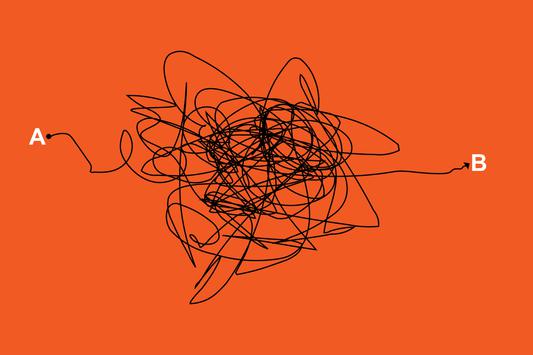
Throughout our lives we make many plans. We plan weddings and vacations. We have retirement plans, house plans, and more. All of these plans guide us through a process. They provide a road map we can follow from point A to B to ensure we don’t miss any critical stops along the way.

This process of structuring activities also applies to the work we do with clients. When we begin with a plan the benefits are evident. They result in cohesive programs that can be applied across the media required in an integrated marketing approach. So what’s involved in developing a plan?

Identify Your Key Audiences: Knowing who your most important audiences are and understanding how current associations compare to your ideal experience allows you to develop a program that will resonate with these groups and find the best way to reach them.

Define Your Position: Clearly articulating your market, brand, differentiators and how you support these will guide the approach to communicating with your audiences.

Develop Recommendations: Finding the most effective means to communicate with your audiences may include tactics, organizational tune-ups, or relationship management. These recommendations begin to determine the budget you need to implement the plan, and a realistic frame of time.

Message and Visuals: Creating the program begins with the key messages and the tone and look that will be used across communications. Knowing how they will be applied, we can develop assets that have multiple uses and messages that can be tailored to each audience.

Deliver the Message: Whether it’s a phased approach or full launch, working within a plan provides the framework to ensure the program is unified and delivered as intended. Planning pays off. It’s an investment of time and budget up front but the value is evident in the efficiencies provided once implementation begins.

With clear goals, and good information, mapping point A to B is cost-effective and and the best way to get great results.


Design West Michigan

By Kevin on June 24th, 2008


Last night I attended a Haworth-hosted kick-off event for Design West Michigan – a regional, cross-disciplinary design organization.

Focused on exploring “design as an economic building block for the region” the DWM was seeded by a federally-funded DOL WIRED grant, working with The Right Place and Lakeshore Advantage, and part of the Innovation Works initiatives. We’re connected to these efforts in several ways including the development of the Innovation Works identity and Idea Portal. DWM is sponsoring a Business Academy, coming in July, to be held at Kendall College of Art & Design, which aims at exposing business people to design concepts. People Design and other design professionals will be presenting case studies to help with the learning.

I’ve been serving on advisory committee, and I’m thrilled to see this come to fruition. Upon Chris’s suggestion, Yang and I gave Daniel Pink’s “A Whole New Mind” to the staff for Christmas last year, so we were pleased when he came to West Michigan for a lecture. Upon learning about the group, Pink offered the following:

West Michigan is doing what other regions no doubt will be doing soon: Developing design education for business people who aren’t designers. The piloting of a Business Academy is a wise and savvy move to support economic development.”

This prompted Julie to ask: What do business people need to know to be better consumers and purchasers of design and design services? Good question. Here are some thought starters, literally straight out of the People Design Playbook:

Who designs and who we consider designers are not limited to who went to design school or who have “designer” on their business card. Designers are those who participate in the process of design.
The designer is a problem solver, with keen skills in perception and intuition. Designers – creative people – tend to have special skills for facilitating, describing, deciding, visualizing, creating meaning, creating context, creating value. Designers believe they can solve a problem. This is partly why they can. A designer’s unique strength is in managing the design process to produce innovation – the process of creating something.

Bedrock skills for designers

  • Conceive and make stuff
  • Make things, places, and messages distinctive
  • Empathize with people
  • Imagine ideal usage experiences
  • Sense and value what is new
  • Simplify and clarify information
  • Dramatically affect preference and value
  • Display mental flexibility, openness
  • Focus on the idea, not whose idea
  • See relationships, make connections
  • Seek problems
  • See problems as market opportunities

DWM is just a start, but it seems like a really good start. I think it capitalizes on two important trends – design thinking and localization. The pair can not only help spur economic growth in West Michigan, but make it a better place to live.


printfreegraphpaper.com

By Julie on June 20th, 2008


I didn’t grow up with the Internet. It came after most of my learning habits had been wired in. But once I had access, I never looked back. My online days began wallowing about in Gopher at my college, getting happily lost in link layers, following my nose and reading… a lot. Learning a lot. Then came Compuserve, early in my career, the text-based network, I admit I still pine for some days…

I browsed four lines at a time on my very first laptop, where I met and collaborated with strangers online to write stories, follow movements in my profession, further my education and my career. The best of the Internet has not changed a bit since those early days — sharing what we know to further knowledge for everybody. That was the whole point when it began, and that’s still its strength. People who forget what the internet is in its bones fail fast.


And so it tickles me when I see people — millions of them — making stuff and putting it out there, whose reward is answering the impulse to serve, because it’s a good idea and because they can. Lots of kids. Lots of weekend code jockeys, writers, all sorts of people whose passions keep them up all night, putting stuff online for other people to find.

Case in point: I like graph paper. I bet you do too. But it’s rarely where I need it when I need it. Enter printfreegraphpaper.com. It’s not a promotional site from a company, not a piece of a bigger pie. I became curious about the site’s builder, and dug around until I found him. Here’s Jeremy Hughes, presently of the U.S. Navy, answering my questions about this site he began when he was a student:

Jeremy, why did you make a graph paper site?

I originally made the site to support and promote a now defunct dictionary website I created. If I remember right, the graph paper was to allow the user to make custom crossword puzzles.

When choosing my domain name, I wanted something easy to remember. Well, the site fared so well so fast, far outperforming my struggling dictionary website, I decided to focus solely on that site, expanding the selection and improving the layout.

I bought the domain on February 27th 2005, and moved it to its home on March 3rd. To show you how well it took off, a couple days later on March 14th (Pi Day), USA Today listed my site as their hot site of the day.

Are you in a graph-paper-using profession? Or, like me, you like to sit and color in the boxes?

Um…. neither. I was pursuing a degree in architecture at the time, so I knew how to draft with the computer. I love math (even though I’m not that good at it), so I enjoyed making something relating to it. It was fun researching all the esoteric graph papers.

How does the site work? Does it generate the paper through dynamic PDFs, or… what? I’m not fluent in code, and can’t tell..

Originally, and currently, the site uses predesigned PDF documents I created, each one-by-one. However, I did explore creating dynamically generated documents. That project ended up being a black-hole of time, and was making the site’s layout too complicated with all the nuances that were possible. After realizing how much time I was putting into the project, knowing only a handful of people would benefit from the custom documents, while confusing the majority of site visitors with a complicated layout, I decided to scrap to project. You can still see some of my unfinished coding here.

Any credits we should mention (designers, cowriter/coders who deserve thanks/credit here?)

I needed a custom javascript function to allow me to accommodate hundreds of distinct graph paper documents into a single page. I hired online a coder from Italy named Georgio for that. It was fun working with someone living in a completely different timezone and who speaks only limited English, but we both shared the language of computer code.

Later with the site, I had a concept for a promotional postcard I wanted to send out to school teachers across the country, introducing my site. The concept referenced Harold Edgerton’s work and showed how with math theres both a theoretical and reality side. Even though the number crunching might be considered arduous, the reality can be full of energy and fun. I hired Vincent Penmann, a friend I met through a photography class to translate my sketches into print.

What kind of response are you getting?

Its been very favorable. I love finding my address on math class syllabuses. I even found a document on NASA’s website referencing my site to download polar graph paper for a friction workshop.

Who uses the site most, do you think?

I can tell by looking at my logs that most of my traffic is school kids doing their homework. Nobody likes doing their schoolwork on Friday or Saturday, but there’s a big rush Sunday night. It’s pretty steady on the weekdays.

Are there enough graph paper geeks out there finding your site and clicking on the Google ads to make it possible for you to live comfortably in Alaska?

My site’s been good to me. One great benefit is I did most of the work awhile ago and now I just need to pay to have my site hosted. It’s basically cashing in royalty checks for previous work.

What is the internet good for, anyway?

I think the internet is for sharing and communicating. When one can harness that power to their benefit without infringing on others, that’s great.


Teaching the Web Stuff

By John on June 14th, 2008


A few years ago I spent some time teaching Web design at Kendall College of Art & Design. This is a rough transcript of the lecture I used on the first day of each semester. It was designed to give a brief overview of the technologies, introduce some new concepts to the students, and scare as many as possible into dropping the class…

Hello. My name is John Winkelman, and I will be your instructor for this semester of Web I, Intro to Web Design.

Web design covers a lot of ground. There is the “look and feel” — what you see when you browse to a website. There is the underlying code that goes into the creation of a site. There is the collection of assets — photos, graphics, audio and video — all of which are part and parcel of a site. And there are the research and exploration that go into creating the overall user experience.

We have limited amounts of time and resources in this [as for most projects]. So we will focus on some of the simple aspects of Web design, diving as deeply as possible into the basics of writing the code that underlies every page on the Internet. We will focus on how to design websites, and in order to do so effectively, you will need to know what is possible and what is reasonable.

Roughly, the creation of a website can be broken into two parts: The visual design and the structure of the data. Or, information and the presentation of information. If this were bookbinding, the data would be the story and the presentation would be the physical parts of the book and the design choices such as typeface, cover design, type of paper and the like.

[At this point I pull up Google on the overhead projector.]

All of you have seen this page. You will probably be using it quite a lot over the course of this semester. This is about as simple as a Web page gets while still being useful. You are looking at the presentation of the page. This (here I “view page source” on the page) is the structure of the page. Not so simple, is it? Sometimes it takes a lot of work to make something elegant.

Okay. Let’s look at something a little more complicated (CNN.com). There is a lot going on in this page… (view page source) and the underlying structure of the page reflects that complexity.

Still awake? Good.

Here is another example, something I whipped up to be an easier introduction (a page where I have created an HTML version of the book The Adventures of Tom Sawyer).

Okay. This is about as simple as a content-heavy page gets. This is a novel, which means it has a title, subtitle, author information, chapter headers, and paragraphs. Simple, straightforward, and no real surprises. Look at the first few lines of text. Now, let’s look at the structure of this document (view page source).

Right up at the top, there are the same words, except they have a little extra around each chunk of text, which looks like this:

<p>the text</p>

Now is a good time to explain the first of two new languages you will learn in this class: HTML, which stands for HyperText Markup Language. Basically, this is a way of describing a chunk of content in such a way that it has logical structure. Hyper text. Text which describes text. This is necessary because we need to be able to control the structure of a document in order to be able to control the way it looks in a Web browser. In order to do this, there is another language — CSS, or Cascading Style Sheets — which we use to control the presentation of documents which we structure using HTML.

There is a third language which Web pages use to allow and control user interaction and manipulation of a document — JavaScript, which is often referred to in the shortened form “js.”

So… three languages. One for structure, one for presentation and one for interaction. Things, descriptions and uses. Nouns, adjectives and verbs. In this class we will be using only the first two. First, let’s talk about HTML…

Please stop crying. We still have a lot to cover today.

The first and primary use of a Web page is to display content of some kind. It doesn’t matter what this content is. It could be a photo gallery, a concert promo, a blog, a store or a corporate site. It could be simply text, like the Tom Sawyer example. It could be a Web-based game, like those found at Orisinal or Kongregate. It could be a movie appreciation site. It could be in English, Japanese, Arabic, Russian or French or all of these languages. Or it could be any combination of these. No matter what is presented to the user, under the hood the structure is fundamentally the same. HTML is HTML is HTML. At the base level, every web page in the world is created using the same tool set. And that is another way of thinking about HTML — it is a set of tools you use to build things. I guess in that sense, it kind of makes this class more of an apprenticeship.

Every chunk of content that you want to display on a website is one of a limited number of possibilities: A headline. A paragraph. A link. An image. A table. A list. Because it is a language, HTML has several layers of interpretation. It has syntax, which is the words available for use, and it has semantics, which is the way in which the words are used. Syntax and semantics. Describing things, and placing them in context with one another.

There are around 85 words in the HTML language, and they conform, more or less, with the uses to which they are meant to be put. For example:

<p></p> - Paragraph
<b></b> - bold text
<i></i> - italic text
<ol></ol> - ordered list
<table></table> - tabular data
<html></html> - an HTML document

(A list of all available words can be found here.)

Out of these words, you will probably use about twenty of them this semester. Notice that these words come in pairs, each half of the pair surrounded by angle brackets. Taken together, they are called “tags” or “elements” or “nodes.” Using these tags, we mark up a document to give it structure and meaning. Look at this example in a browser…

(The poem “The Raven.”)

In a browser, it is all jumbled together. No line breaks, no formatting of any kind. Just one big, long, run-on sentence. Now, we add a couple of tags to give this semantic meaning.

(A piece of “The Raven” with minimal HTML included: <p> tags around the stanzas.)

Now it looks a little better, doesn’t it? The stanzas are broken out. We have provided a little structure. We have given the distinct pieces of this poem meaning.

(Add headline tags around title and author.)

Now things are looking a even better. The title-level pieces of the document are called out as distinct units of information. Now let’s go one step further and add some line breaks to the ends of the lines.

(Add BR tags.)

Now it looks like a poem! All the lines break where they should. The title or headline and subtitle or subhead are obvious. The content has been structured so that it retains its original meaning. When the browser looks at a text document, it doesn’t automatically know what all the pieces and parts are. We have to tell it what they are.

Notice that other than adding those HTML elements to the document, I didn’t change how it was laid out. The breaks we put in aren’t necessarily part of the presentation of the document. The structure of a poem requires that lines end after specific words. Therefore the line breaks are part of the content.

Looking at this document with a Web browser, we can see the structure of the document. We have done nothing to say how it is to be presented. In order to do so, we need to use another language: CSS, also called Cascading Style Sheets, or simply stylesheets. We will learn about those after the break.

Any questions? No? Y’all already know everything there is to know about building websites? Good. My work here is complete.

To their credit, none of my students ever dropped the class because of this lecture.


Statement of Purpose

By Diana on June 10th, 2008


I’m working on our business plan, which prompted me to again the Statement of Purpose we came up with when we began refocusing our business in 2003. I really love this.

Our Statement of Purpose

  • People Design is a business whose first goal is to be profitable, in order to
  • Keep outstanding people paid, healthy, and happy, who are interested in
  • Creating work of consequence, and making a difference in business and culture, in an
  • Invigorating, enjoyable, human work environment.
  • We may not always accomplish all four objectives. However, if we don’t accomplish all four over time, we have not succeeded.